I think, by using bridge networks as described by @dreamboxer above will allow you to get a separate IP address for each VM you’re running in Cockpit, that will still go through your existing NICs without impacting their IP assignments they obtain for Rockstor itself, so you would not necessarily need an additional NIC card.
3 Likes
Hi @dadozts,
Good to hear you’re planning the migration! A few things that might save you some time:
You don’t need a 3rd NIC. As @Hooverdan mentioned, a Linux bridge on one of your existing NICs is enough. Think of it like a ethernet switch inside your server – you plug your one network cable into your server, and now both Rockstor and your VMs can use it at the same time, each with their own IP address from your router. The setup @Dreamboxer posted above
(using nmcli to create br0) is exactly the right approach.
Zigbee & Bluetooth USB passthrough: Cockpit supports this directly from the GUI. In your VM’s detail page, look for the Host devices section → Add host device → select your
Zigbee coordinator / Bluetooth adapter. The device will then be available inside the VM (and no longer accessible on the host).
So in short: bridge networking on an existing NIC + USB passthrough in Cockpit should cover both your requirements without any hardware changes. Looking forward to hearing how
it goes!
Cheers
Simon
4 Likes
modified and fixed
Hi,
and here we are, after a long time and having survived the Carnival week unscathed  , I’ve started to dedicate myself to Rickstor.’
Unfortunately, everything went smoothly, no errors, no problems, but when I tried to connect by entering https://ip_of_ my_Rockstor:9090, no one responded, impossible to reach the site. So what?
After a few reboots, I tried stopping the service and restarting it manually (systemctl status cockpit.socket) , but when I go to check the status, the response is this:
cockpit.socket - Cockpit Web Service Socket
Loaded: loaded (;;file://SERVER/usr/lib/systemd/system/cockpit.socket/usr/lib/systemd/system/coc
kpit.socket;;; enabled; preset: disabled);;
Active: failed (Result: trigger-limit-hit) since Sun 2026-02-22 18:42:18 CET; 27s ago
Duration: 47.349s
Triggers: ● cockpit.service
Docs: ;;man:cockpit-ws(8)man:cockpit-ws(8);;;;
Listen: [::]:9090 (Stream)
Then, checking the logs (sudo journalctl -u cockpit.socket ), the result is this:
feb 22 10:46:28 SERVER systemd[1]: Starting Cockpit Web Service Socket…
feb 22 10:46:28 SERVER systemd[1]: Listening on Cockpit Web Service Socket.
feb 22 10:48:10 SERVER systemd[1]: cockpit.socket: Trigger limit hit, refusing further activation.
feb 22 10:48:10 SERVER systemd[1]: cockpit.socket: Failed with result ‘trigger-limit-hit’.
feb 22 10:50:48 SERVER systemd[1]: Starting Cockpit Web Service Socket…
feb 22 10:50:48 SERVER systemd[1]: Listening on Cockpit Web Service Socket.
feb 22 10:51:03 SERVER systemd[1]: cockpit.socket: Trigger limit hit, refusing further activation.
feb 22 10:51:03 SERVER systemd[1]: cockpit.socket: Failed with result ‘trigger-limit-hit’.
feb 22 11:00:55 SERVER systemd[1]: Starting Cockpit Web Service Socket…
feb 22 11:00:55 SERVER systemd[1]: Listening on Cockpit Web Service Socket.
feb 22 11:01:05 SERVER systemd[1]: cockpit.socket: Trigger limit hit, refusing further activation.
feb 22 11:01:05 SERVER systemd[1]: cockpit.socket: Failed with result ‘trigger-limit-hit’.
feb 22 18:41:30 SERVER systemd[1]: Starting Cockpit Web Service Socket…
feb 22 18:41:30 SERVER systemd[1]: Listening on Cockpit Web Service Socket.
feb 22 18:42:18 SERVER systemd[1]: cockpit.socket: Trigger limit hit, refusing further activation.
feb 22 18:42:18 SERVER systemd[1]: cockpit.socket: Failed with result ‘trigger-limit-hit’.
Happy Sunday everyone!
Davide
p.s.
By editing the file:
/etc/nsswitch.conf
As Simon explained here:
passwd: compat systemd
group: compat [SUCCESS=merge] systemd
shadow: compat systemd
The system responded correctly.
It’s late now, but I’ll let you know soon if I managed to migrate Home Assistant to the VM.
Thanks and have a good evening.
Davide
3 Likes
For your information and with many thanks from me, Home Assistant is running fine, running on a VM on my Rockstor machine.
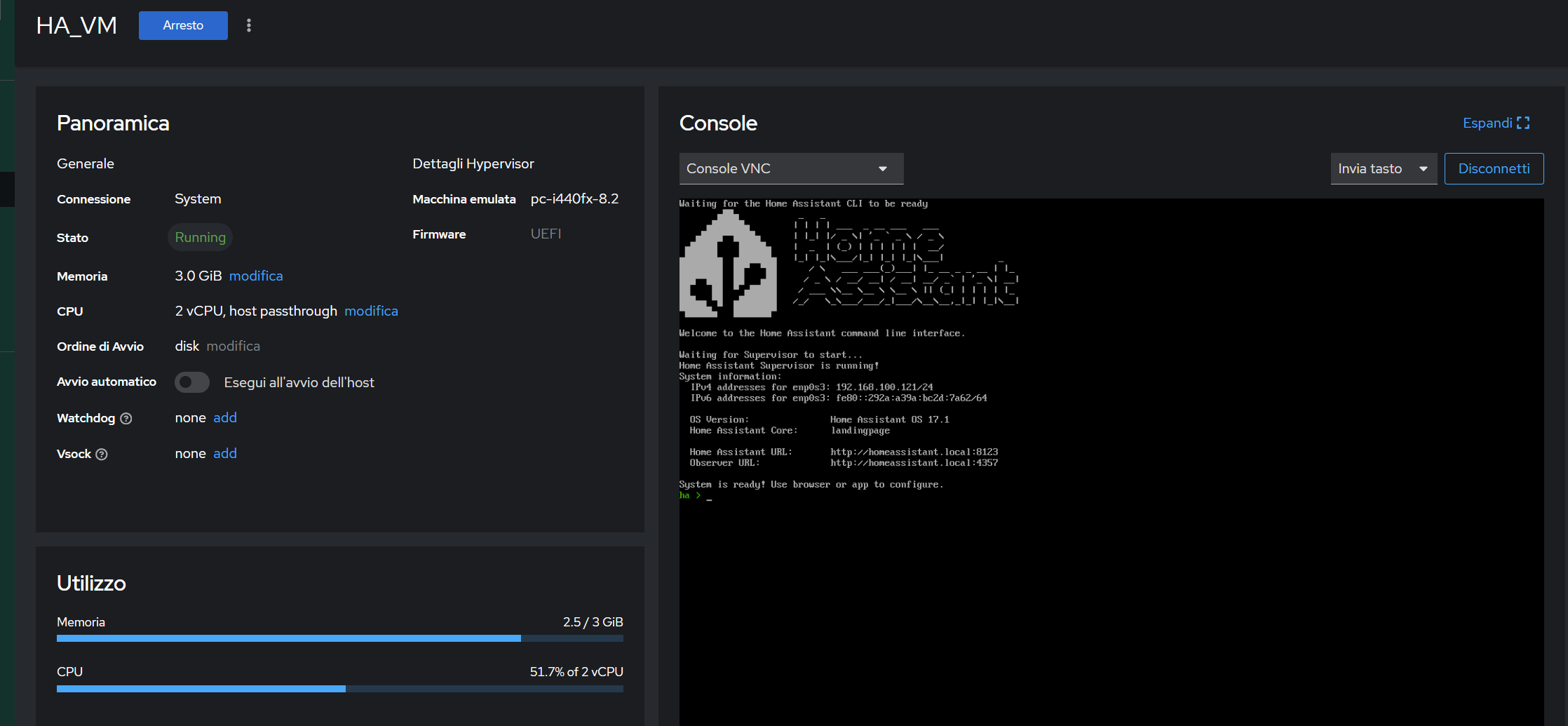
Now, I’ll take my time and dedicate myself to addressing a network card specifically for Home Assistant. Connecting the bridges.
Davide
5 Likes
SOLVED
Good evening everyone,
and here we are,
I had no problem running Home Assistant, and even getting it to reach my home network was easy. All I had to do was add a direct network, as shown in the photo.

Everything works, Home Assistant is accessible, I can play games, load backups, everything is perfect. The problem occurs when I try to add a USB host to the VM.
I shut down the VM and add it, in this case a Bluetooth USB adapter.
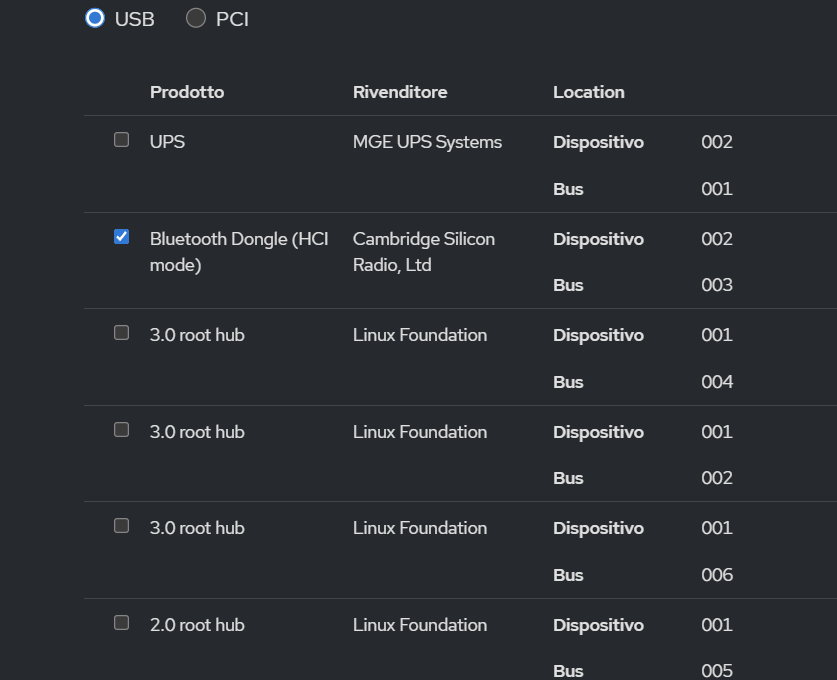
let me add what I want

but when I try to start the VM it gives me this error:
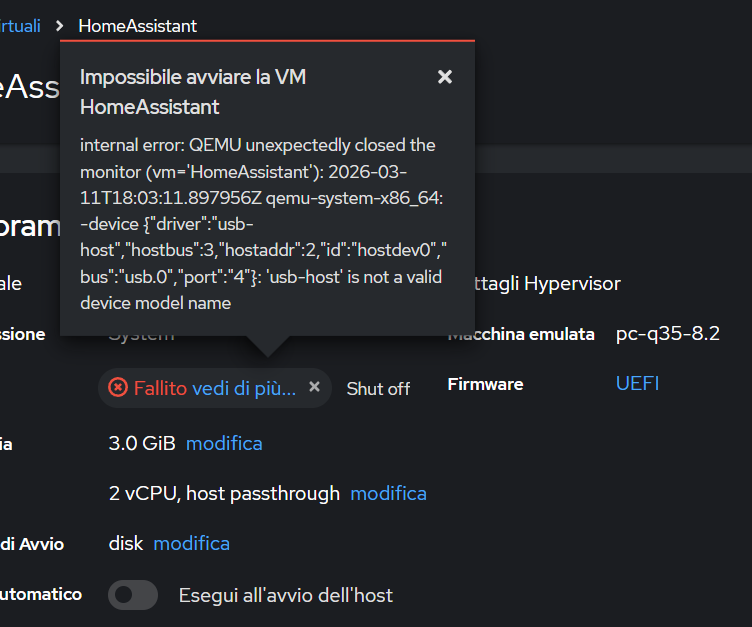
Removing the host device, everything starts up and works perfectly.
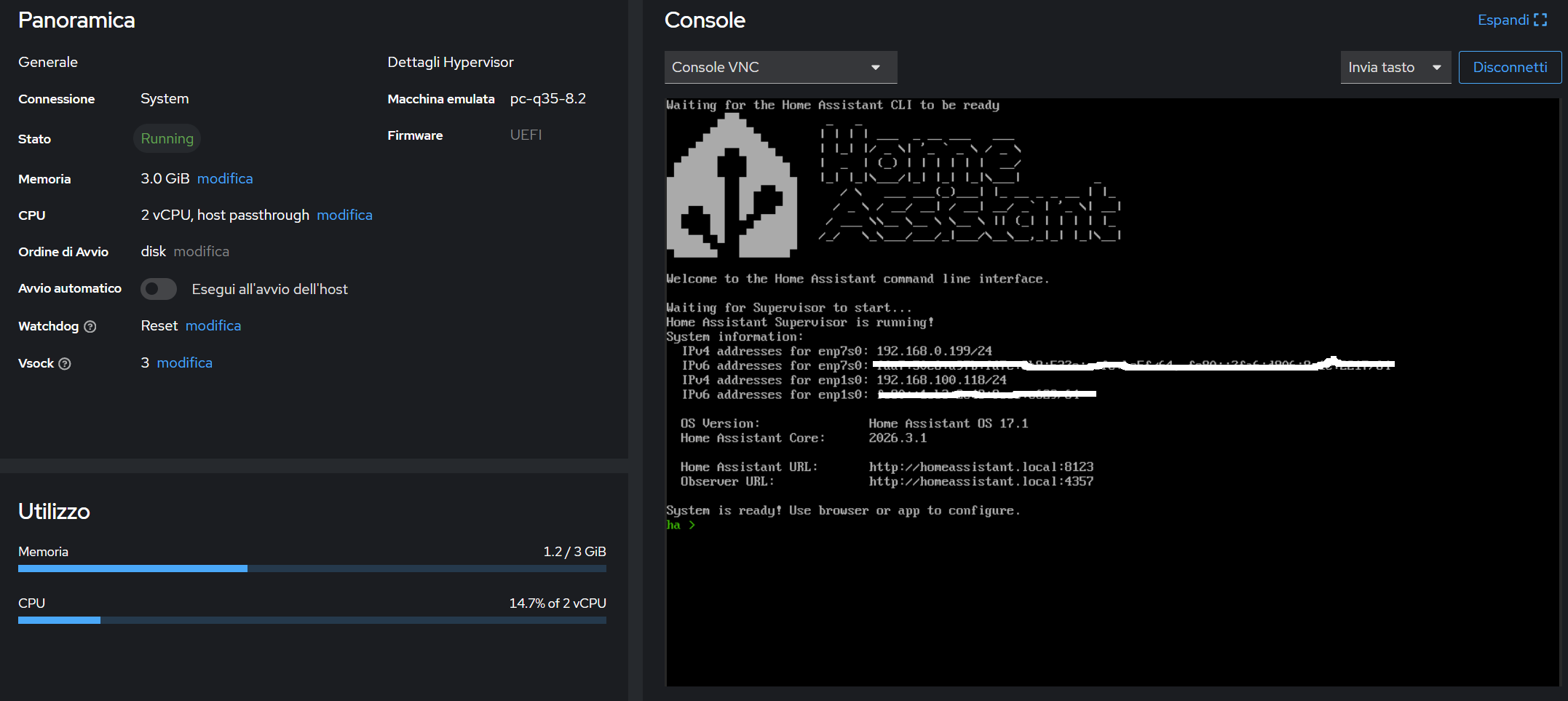
Any suggestions or has anyone had this experience?
Greetings everyone, and thanks again. I’m glad I made it this far.
Davide
Here we are,
after taking the time, searching online, and even getting some help from the AI, I fixed the VM starting even when I add a USB host, such as a Zigbee or Bluetooth hub.
For some reason beyond my understanding, the subhost package for QEMU was simply missing. I simply added it with " zypper install qemu-hw-usb-host " and everything worked.
Now I can really start migrating my entire Home Assistant  . Thanks to Simon for the guide and everyone else for the suggestions and guidance.
Davide
5 Likes