[Please complete the below template with details of the problem reported on your Web-UI. Be as detailed as possible. Community members, including developers, shall try and help. Thanks for your time in reporting this issue! We recommend purchasing commercial support for expedited support directly from the developers.]
Brief description of the problem
SSDs with mixed filesystems are causing unsupported and not found errors.
Detailed step by step instructions to reproduce the problem
Pre-Used SSDs with partitions with fat and BTRFS used.
Bootup is from USB Stick,
Web-UI screenshot
[Drag and drop the image here]
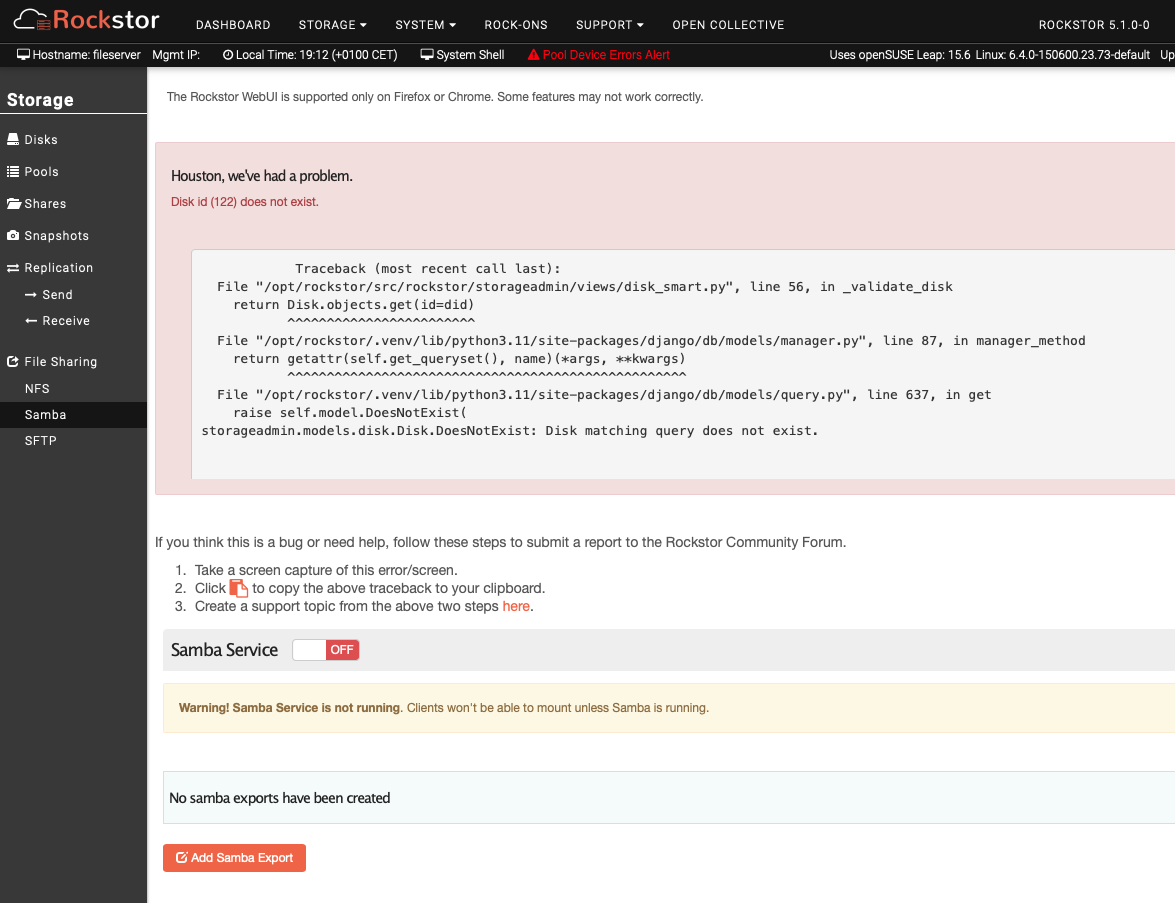
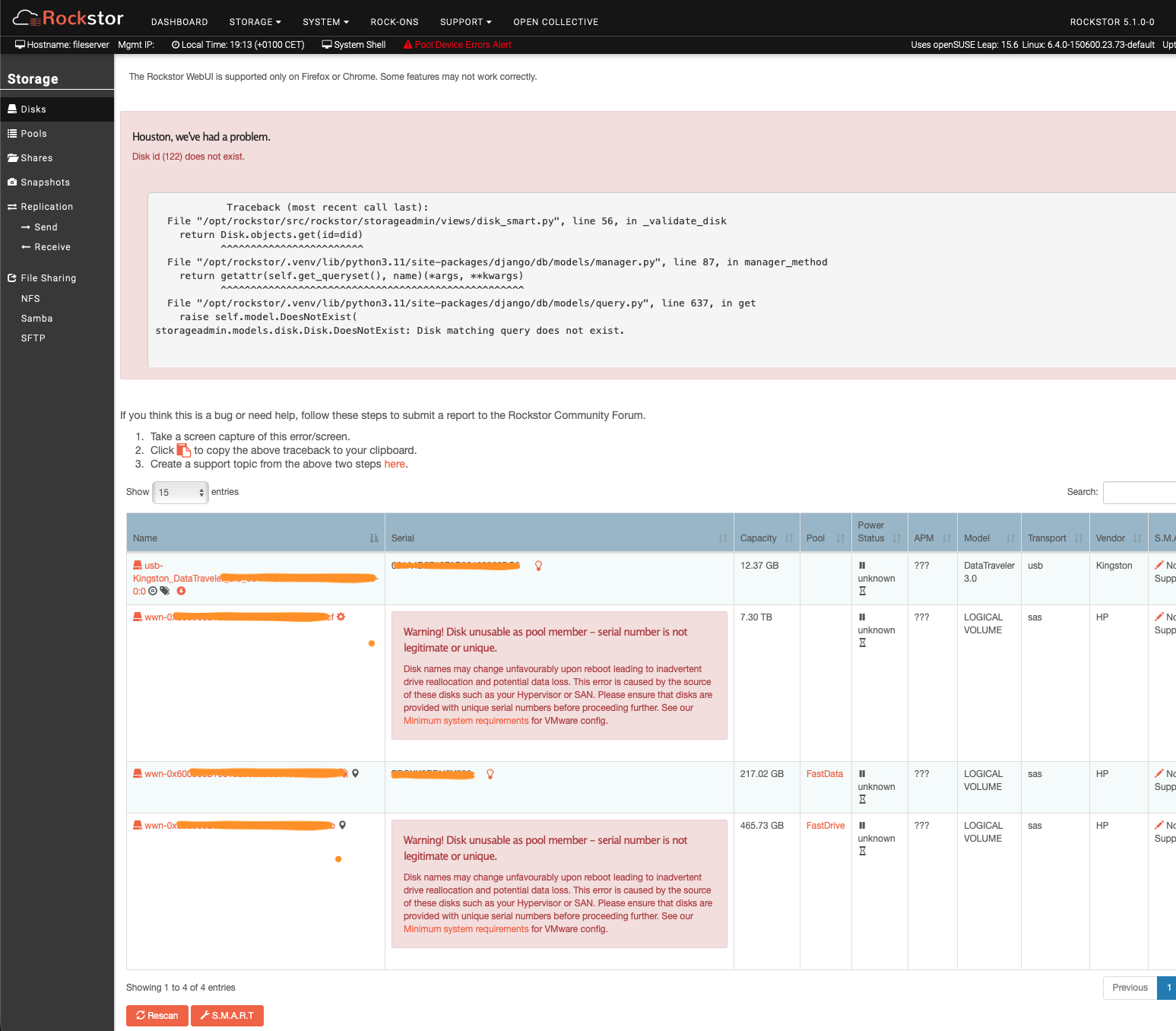
Error Traceback provided on the Web-UI
            Traceback (most recent call last):
  File "/opt/rockstor/src/rockstor/storageadmin/views/disk_smart.py", line 56, in _validate_disk
    return Disk.objects.get(id=did)
           ^^^^^^^^^^^^^^^^^^^^^^^^
  File "/opt/rockstor/.venv/lib/python3.11/site-packages/django/db/models/manager.py", line 87, in manager_method
    return getattr(self.get_queryset(), name)(*args, **kwargs)
           ^^^^^^^^^^^^^^^^^^^^^^^^^^^^^^^^^^^^^^^^^^^^^^^^^^^
  File "/opt/rockstor/.venv/lib/python3.11/site-packages/django/db/models/query.py", line 637, in get
    raise self.model.DoesNotExist(
storageadmin.models.disk.Disk.DoesNotExist: Disk matching query does not exist.