[Please complete the below template with details of the problem reported on your Web-UI. Be as detailed as possible. Community members, including developers, shall try and help. Thanks for your time in reporting this issue! We recommend purchasing commercial support for expedited support directly from the developers.]
Brief description of the problem
Cannot set Rockstor interface in “System, Services, Rockstor”
Detailed step by step instructions to reproduce the problem
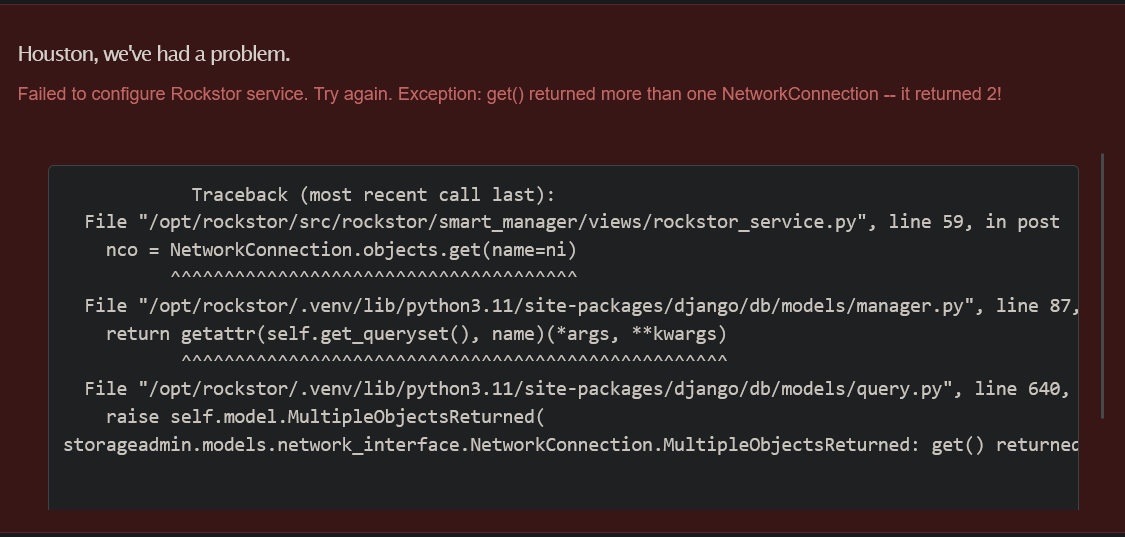
Used the dropdown to select the static interface used for the Web UI. When I click on submit, it returns the error shown.
File “/opt/rockstor/src/rockstor/smart_manager/views/rockstor_service.py”, line 59, in post
nco = NetworkConnection.objects.get(name=ni)
^^^^^^^^^^^^^^^^^^^^^^^^^^^^^^^^^^^^^^
File “/opt/rockstor/.venv/lib/python3.11/site-packages/django/db/models/manager.py”, line 87, in manager_method
return getattr(self.get_queryset(), name)(*args, **kwargs)
^^^^^^^^^^^^^^^^^^^^^^^^^^^^^^^^^^^^^^^^^^^^^^^^^^^
File “/opt/rockstor/.venv/lib/python3.11/site-packages/django/db/models/query.py”, line 640, in get
raise self.model.MultipleObjectsReturned(
storageadmin.models.network_interface.NetworkConnection.MultipleObjectsReturned: get() returned more than one NetworkConnection – it returned 2!
I know this is an old post but I am getting the same error with version 5.1.0-0:
[Please complete the below template with details of the problem reported on your Web-UI. Be as detailed as possible. Community members, including developers, shall try and help. Thanks for your time in reporting this issue! We recommend purchasing commercial support for expedited support directly from the developers.]
Brief description of the problem
Updating rockstor service
Detailed step by step instructions to reproduce the problem
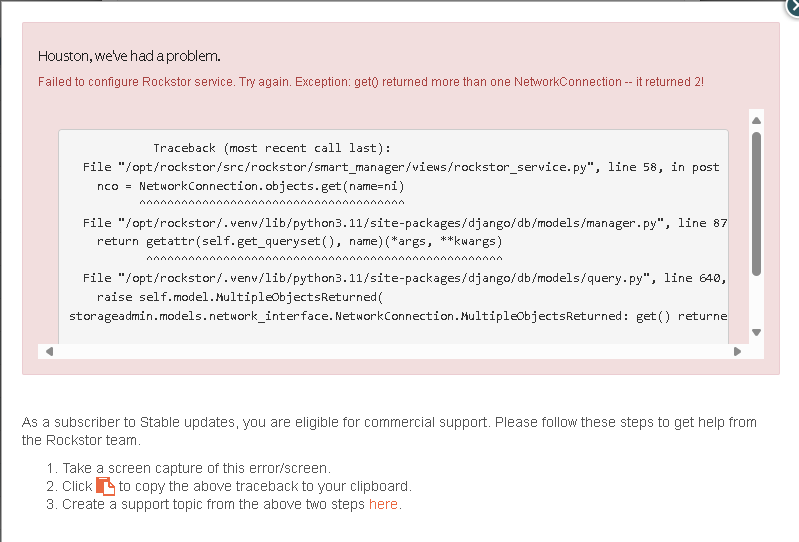
Went to services and clicked on wrench to open settings. Clicked wired connection with updated management ip address. Clicked on submit.
            Traceback (most recent call last):
  File "/opt/rockstor/src/rockstor/smart_manager/views/rockstor_service.py", line 58, in post
    nco = NetworkConnection.objects.get(name=ni)
          ^^^^^^^^^^^^^^^^^^^^^^^^^^^^^^^^^^^^^^
  File "/opt/rockstor/.venv/lib/python3.11/site-packages/django/db/models/manager.py", line 87, in manager_method
    return getattr(self.get_queryset(), name)(*args, **kwargs)
           ^^^^^^^^^^^^^^^^^^^^^^^^^^^^^^^^^^^^^^^^^^^^^^^^^^^
  File "/opt/rockstor/.venv/lib/python3.11/site-packages/django/db/models/query.py", line 640, in get
    raise self.model.MultipleObjectsReturned(
storageadmin.models.network_interface.NetworkConnection.MultipleObjectsReturned: get() returned more than one NetworkConnection -- it returned 2!
In the interim, you don’t have to update the Rockstor interface, as it should then just listen on all available ones.
In your setup, when you changed the management address (I assume, you assigned a manual IP, as opposed to reserving an address on your router for the interface?) did you reboot first before attempting to change?
Also, do you have multiple physical NICs in your system with both of them being set to active? Don’t think that’s the root cause, but it would be good to know how your HW is set up in that area.
Unfortunately, I don’t think we ever got confirmation whether the original posters issue was resolved or they chose a different workaround, etc.
@Hooverdan
Hi and thank you. I actually reserved the ip address in my router but the reason why I needed to change it was because I decided to move away from UNRAID which had the ip address I needed rockstor to have ( that was easier than changing my network shares on all my tvs and devices accessing the shares via emby ). I changed the dhcp reservation then rebooted. I also do have a secondary interface attached as all my shares are connecting on a 10GB subnet I have on my backend.
In the meantime, I check back periodically for an update and I won’t worry about updating the service. It’s more of a cosmetic thing than anything else. I just like everything to line up when I log into the UI.
Oh! I almost forgot. Not sure if this matters or not, but I am running rockstore on a proxmox 9 VM.
Thanks for the additional information. I doubt that proxmox is posing a problem here, but of course it could.
I am wondering - and if you’re up for trying it - if you temporarily disconnect your second network interface, reboot, so Rockstor picks up only one as active and then see whether you could maintain it in the service screen. If it takes, reconnect the second interface again and reboot once more to see whether it all holds.
But, like you said, it’s mostly cosmetic, unless you want to ensure that nobody can get to the Rockstor WebUI from the other subnet that is connected.
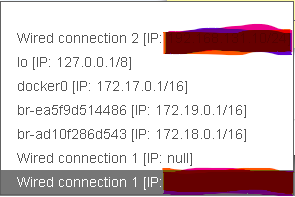
looking at your screenshot though I see two “Wired connection 1” entries … one with IP and one without, in addition to your “Wired connection 2”
I will give that a shot and get back to you. I noticed the extra wired connection 1 myself. Based on the initial poster’s remarks, I assumed that was there from initial setup as the link in phillxnet’s post mention that and also that it was fixed in 5.0.9-0. Give me a few and I will test removal of the secondary interface and post back.
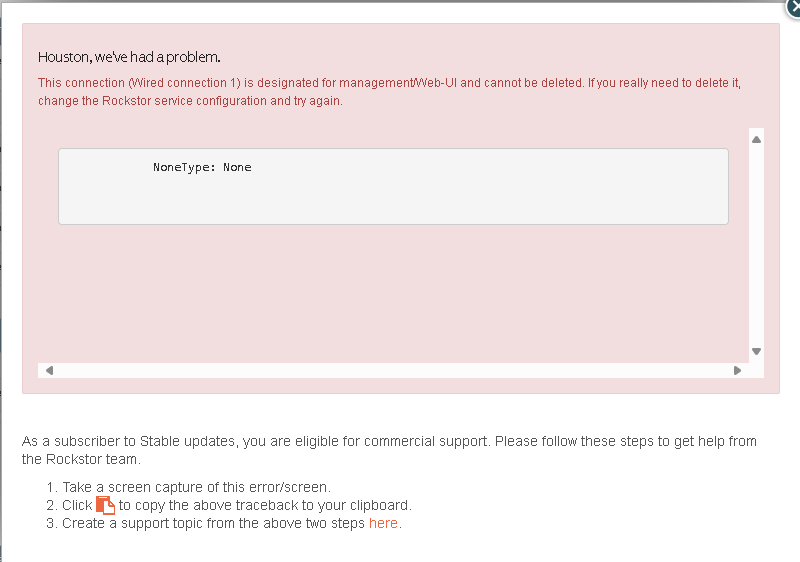
So I gave that a try but no luck. I did go into network settings through the UI and tried to delete the second “Wired connection 1” entry and I got the following error:
Looking back at the stack trace, I am wondering ( as I code in python as well ) if the issue is in the self.model.MultipleObjectsReturned function?
“/opt/rockstor/.venv/lib/python3.11/site-packages/django/db/models/query.py”, line 640, in get raise self.model.MultipleObjectsReturned( storageadmin.models.network_interface.NetworkConnection.MultipleObjectsReturned: get() returned more than one NetworkConnection – it returned 2!
It’s only a guess as I obviously have no access to the code.
oh yes, you can go and look at the code - we even have a PR now for the django debug-toolbar (when you check the repository).
Other approach I am thinking now (it does seem to be an issue), maybe you need to assign the WebUI temporarily to the second interface (that only has one entry with IP). Then remove the non-IP from the first connection (which in theory should work now, since you’ve configured the WebUI interface in the Services section).
Then go back into the services section, and assign the “Wired Connection 1” - which should now have only 1 instance in the database left.
If that approach were to work, then indeed there is an issue with how a multi-interface object return is handled (maybe it needs to distinguish by IP vs no-IP or some other means).
**When you assign it to the different subnet NIC, you will likely have to temporarily log into the WebUI using that assigned IP address, before you can go back to the one you really want.
OK. So I shut down the VM and removed the interface. Booted it up and the two wired connection 1 entries were still there and unable to be removed. Shut back down and re-added the interface. It showed up as a new entry “wired connection 3”. Still have the other two and unable to delete but I was able to successfully update the rockstor service to reflect entry3 instead of entry 1 and after that, I was able to successfully delete those two entries:
So the trick here, as I see it, is to make sure the connection you are working with is NOT the management interface the rockstor interface is configured to connect to.
The stack trace and the Nonetype error are, in my opinion, red herrings leading down an incorrect path by not stating there is some type of lock on the interface when configured as management interface.