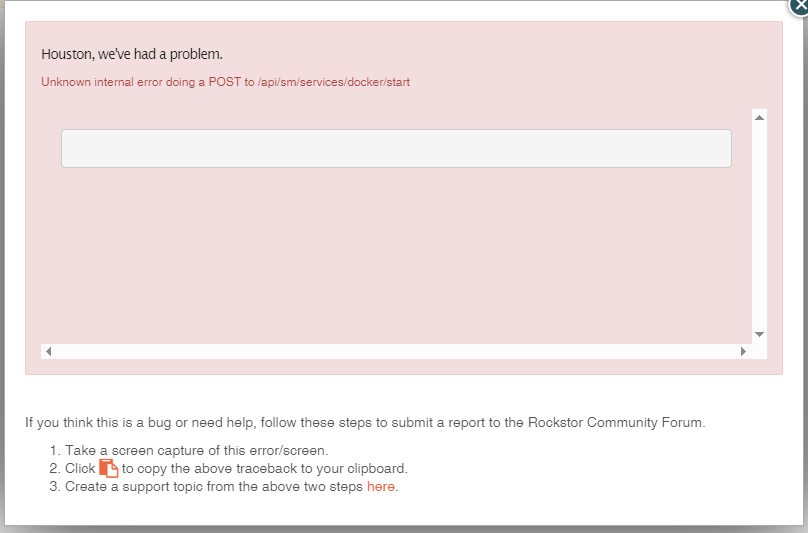
Rockstor version is 5.0.15-0
The Rock-on root is still shown in the configuration, and I believe it is mounted. Showing in the shares overview anyway.
“Mount | grep cgroup” gives this:
tmpfs on /sys/fs/cgroup type tmpfs (ro,nosuid,nodev,noexec,size=4096k,nr_inodes=1024,mode=755,inode64)
cgroup2 on /sys/fs/cgroup/unified type cgroup2 (rw,nosuid,nodev,noexec,relatime,nsdelegate)
cgroup on /sys/fs/cgroup/systemd type cgroup (rw,nosuid,nodev,noexec,relatime,xattr,name=systemd)
cgroup on /sys/fs/cgroup/hugetlb type cgroup (rw,nosuid,nodev,noexec,relatime,hugetlb)
cgroup on /sys/fs/cgroup/rdma type cgroup (rw,nosuid,nodev,noexec,relatime,rdma)
cgroup on /sys/fs/cgroup/misc type cgroup (rw,nosuid,nodev,noexec,relatime,misc)
cgroup on /sys/fs/cgroup/pids type cgroup (rw,nosuid,nodev,noexec,relatime,pids)
cgroup on /sys/fs/cgroup/dmem type cgroup (rw,nosuid,nodev,noexec,relatime,dmem)
cgroup on /sys/fs/cgroup/perf_event type cgroup (rw,nosuid,nodev,noexec,relatime,perf_event)
cgroup on /sys/fs/cgroup/blkio type cgroup (rw,nosuid,nodev,noexec,relatime,blkio)
cgroup on /sys/fs/cgroup/net_cls type cgroup (rw,nosuid,nodev,noexec,relatime,net_cls)
cgroup on /sys/fs/cgroup/cpu type cgroup (rw,nosuid,nodev,noexec,relatime,cpu)
RockstorNAS:~ #
”systemctl restart network” didn’t seem to do anything. “systemctl start docker.service” gives this:
Job for docker.service failed because the control process exited with error code.
See “systemctl status docker.service” and “journalctl -xeu docker.service” for details.
”systemctl status docker.service” comes out with no info, and “journalctl -xeu docker.service” comes up with this:
Defined-By: systemd
░░ Support: https://lists.freedesktop.org/mailman/listinfo/systemd-devel
░░
░░ A start job for unit docker.service has finished with a failure.
░░
░░ The job identifier is 15828 and the job result is failed.
Dec 21 04:46:15 RockstorNAS systemd[1]: docker.service: Scheduled restart job, restart count>
░░ Subject: Automatic restarting of a unit has been scheduled
░░ Defined-By: systemd
░░ Support: https://lists.freedesktop.org/mailman/listinfo/systemd-devel
░░
░░ Automatic restarting of the unit docker.service has been scheduled, as the result for
░░ the configured Restart= setting for the unit.
Dec 21 04:46:15 RockstorNAS systemd[1]: Stopped Docker Application Container Engine.
░░ Subject: A stop job for unit docker.service has finished
░░ Defined-By: systemd
░░ Support: https://lists.freedesktop.org/mailman/listinfo/systemd-devel
░░
░░ A stop job for unit docker.service has finished.
░░
░░ The job identifier is 15947 and the job result is done.
Dec 21 04:46:15 RockstorNAS systemd[1]: Starting Docker Application Container Engine…
░░ Subject: A start job for unit docker.service has begun execution
░░ Defined-By: systemd
░░ Support: https://lists.freedesktop.org/mailman/listinfo/systemd-devel
░░
░░ A start job for unit docker.service has begun execution.
░░
░░ The job identifier is 15947.
Dec 21 04:46:15 RockstorNAS dockerd[32531]: time=“2025-12-21T04:46:15+01:00” level=info msg=>
Dec 21 04:46:15 RockstorNAS dockerd[32552]: time=“2025-12-21T04:46:15.285028036+01:00” level>
Dec 21 04:46:15 RockstorNAS dockerd[32552]: time=“2025-12-21T04:46:15.285653053+01:00” level>
Dec 21 04:46:16 RockstorNAS dockerd[32531]: failed to start daemon: Devices cgroup isn’t mou>
Dec 21 04:46:16 RockstorNAS systemd[1]: docker.service: Main process exited, code=exited, st>
░░ Subject: Unit process exited
░░ Defined-By: systemd
░░ Support: https://lists.freedesktop.org/mailman/listinfo/systemd-devel
░░
░░ An ExecStart= process belonging to unit docker.service has exited.
░░
░░ The process’ exit code is ‘exited’ and its exit status is 1.
Dec 21 04:46:16 RockstorNAS systemd[1]: docker.service: Failed with result ‘exit-code’.
░░ Subject: Unit failed
░░ Defined-By: systemd
░░ Support: https://lists.freedesktop.org/mailman/listinfo/systemd-devel
░░
░░ The unit docker.service has entered the ‘failed’ state with result ‘exit-code’.
Dec 21 04:46:16 RockstorNAS systemd[1]: Failed to start Docker Application Container Engine.
░░ Subject: A start job for unit docker.service has failed
░░ Defined-By: systemd
░░ Support: https://lists.freedesktop.org/mailman/listinfo/systemd-devel
░░
░░ A start job for unit docker.service has finished with a failure.
░░
░░ The job identifier is 15947 and the job result is failed.
Dec 21 04:46:16 RockstorNAS systemd[1]: docker.service: Scheduled restart job, restart count>
░░ Subject: Automatic restarting of a unit has been scheduled
░░ Defined-By: systemd
░░ Support: https://lists.freedesktop.org/mailman/listinfo/systemd-devel
░░
░░ Automatic restarting of the unit docker.service has been scheduled, as the result for
░░ the configured Restart= setting for the unit.
Dec 21 04:46:16 RockstorNAS systemd[1]: Stopped Docker Application Container Engine.
░░ Subject: A stop job for unit docker.service has finished
░░ Defined-By: systemd
░░ Support: https://lists.freedesktop.org/mailman/listinfo/systemd-devel
░░
░░ A stop job for unit docker.service has finished.
░░
░░ The job identifier is 16066 and the job result is done.
Dec 21 04:46:16 RockstorNAS systemd[1]: docker.service: Start request repeated too quickly.
Dec 21 04:46:16 RockstorNAS systemd[1]: docker.service: Failed with result ‘exit-code’.
░░ Subject: Unit failed
░░ Defined-By: systemd
░░ Support: https://lists.freedesktop.org/mailman/listinfo/systemd-devel
░░
░░ The unit docker.service has entered the ‘failed’ state with result ‘exit-code’.
Dec 21 04:46:16 RockstorNAS systemd[1]: Failed to start Docker Application Container Engine.
░░ Subject: A start job for unit docker.service has failed
░░ Defined-By: systemd
░░ Support: https://lists.freedesktop.org/mailman/listinfo/systemd-devel
░░
░░ A start job for unit docker.service has finished with a failure.
░░
░░ The job identifier is 16066 and the job result is failed.
I have restartet the system several times with no results.
In other respects the system works fine, I can access the shares without porblems, there are no problems reported in the UI, besides Rock-On not being started and refusing to do so.
This system has recovered some times before from outages without incidents, so its weird that it went wrong this time.
It does not seem like something easy to fix.
Perhaps its time for a reinstall.
That’ll have to wait till after christmas.