Subject: Assistance Needed with SFTP Share Setup on Rockstor Server
Dear Philip and/or Rockstor Forum Members,
After upgrading my Rockstore server from version 4 to version 5, I’m in the process of reconfiguring everything. I’m attempting to use a portion of the Rockstor server as a Time Machine backup for my Mac mini. I followed the instructions provided in the documentation.
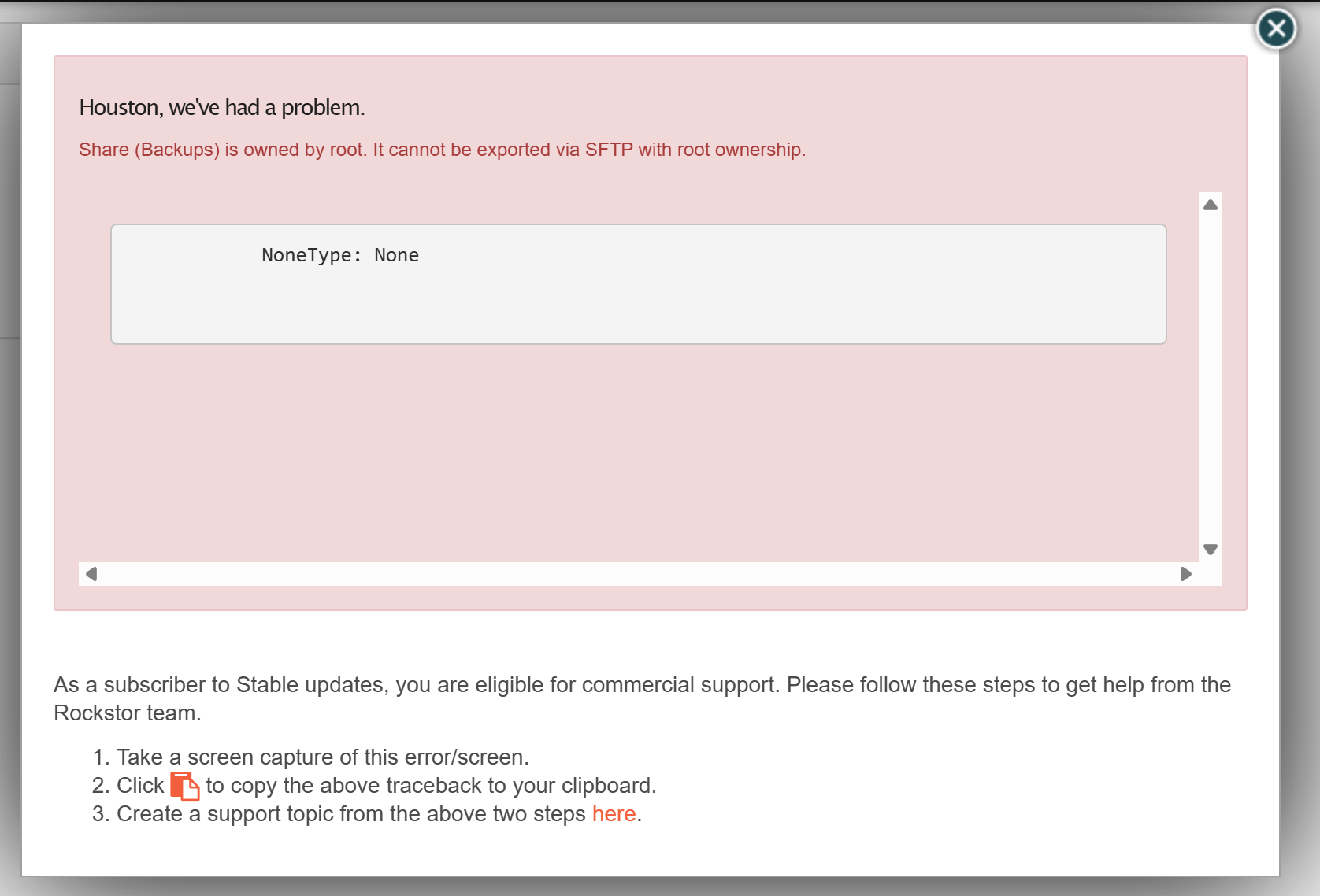
However, when I reached the section about creating an SFTP share, I encountered an error message stating that the pool or section named “backups” is owned by root and cannot be exported to SFTP without root ownership.
Unfortunately, I don’t remember—or perhaps never knew—how to set up root ownership for these shares. If anyone could assist me with this, I would greatly appreciate it.
I think you would be best advised to take the Samba route these days as modern MacOS now has a SAMBA compatibility and we have long had a compatible Samba version. We also have config options to select when creating a SAMBA/SMB Share that pertain to Time Machine options required for this compatibility.
I no longer have access to mac hardware but there are folks here on the forum who I think are using Time Machine backed by a Rockstor Samba Share. @Hooverdan & @Flox were involved in a lot of the work regarding accommodating Time Machine into our Samba config - if I remember correctly.
Using SFTP to back a Time Machine setup is likely going to be way more trouble than it is worth.
Could you indicate what part of our docs pointed you in the SFTP direction for Time Machine. We likely need to update that to point folks in the Samba/SMB direction.
With the move from CentOS (as the top paragraph indicates) the Apple File Protocol (AFP) has been deprecated - I couldn’t find a reference to SFTP in the documentation:
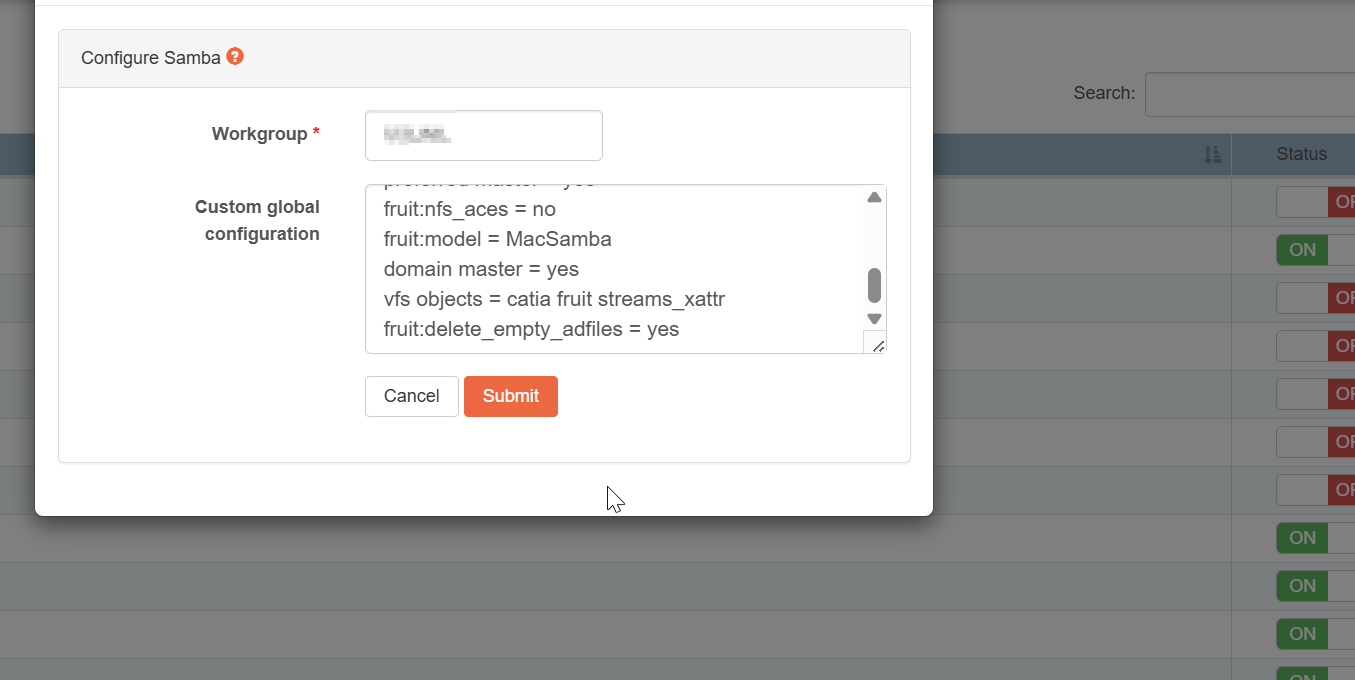
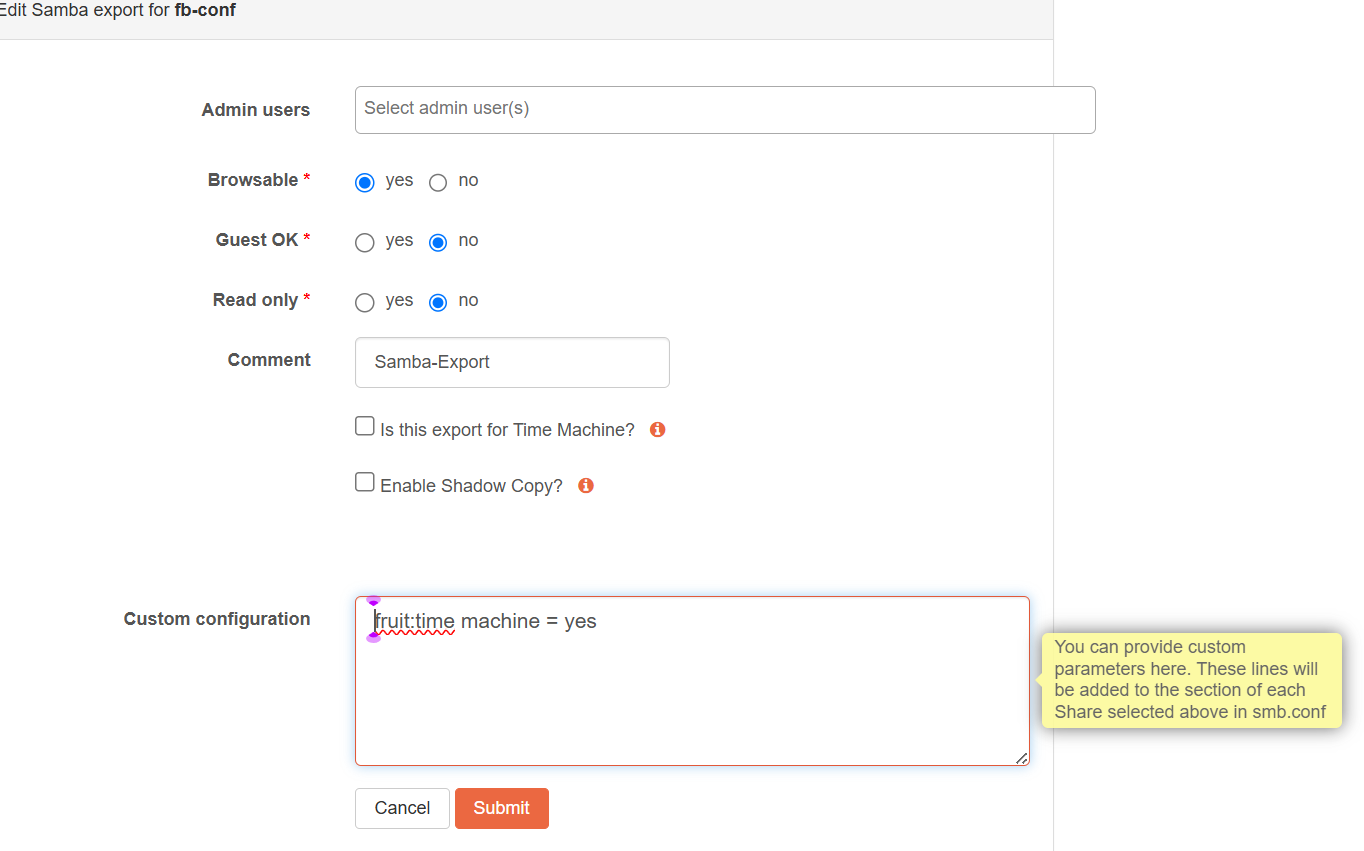
If you’re intending on using additional flags for Apple device support (especially iOS devices) you can take a look at this. If you maintain a global custom configuration like described above, but want to only designate one samba share for Time Machine usage, you would then not use the checkbox during the share definition but add fruit:time machine = yes
in the samba custom configuration (for the share) instead. This should ensure that any other vfs_objects you have defined are loaded (there can only be one line in the smb.conf file and Rockstor does not investigate the custom config and align it with its own settings).
So, if you set up the global config containing settings like these:
which will result in “inheriting” the global settings and add the share-level setting. Or you put both the global and share-level setting just into the share-level, then all of that only applies to that one samba share.
Unfortunately I don’t have time machine, so I can’t test and prove it out to you …
Thanks for the quick response. I abandoned the SFTP approach for your recommended Samba route, and was able to quickly get it up and running.
I set up the Time Machine backup for my M4 Mac mini to backup to my Rockstor Server on the Backups Share via Samba Service. I see that @Hooverdan offered more detailed instructions for samba configuration, which I will explore in the days to come. In the mean time, I successfully backed up my Mac mini.